
FaultFinder
Decades of fault identification and solutions, at your fingertips. Pick the panel, enter the fault, and FaultFinder walks you to the cause and the fix, then writes the service report.
What FaultFinder is
A fault-finding assistant for fire panels, built into the office portal and the technician app. It is like having a senior tech on the phone: tell it what the panel is doing and it tells you where to look first.
Answers read the way a senior tech would explain it over the phone: natural, plain and easy to follow on site, using the terms you already use every day.
Start with the panel and the fault
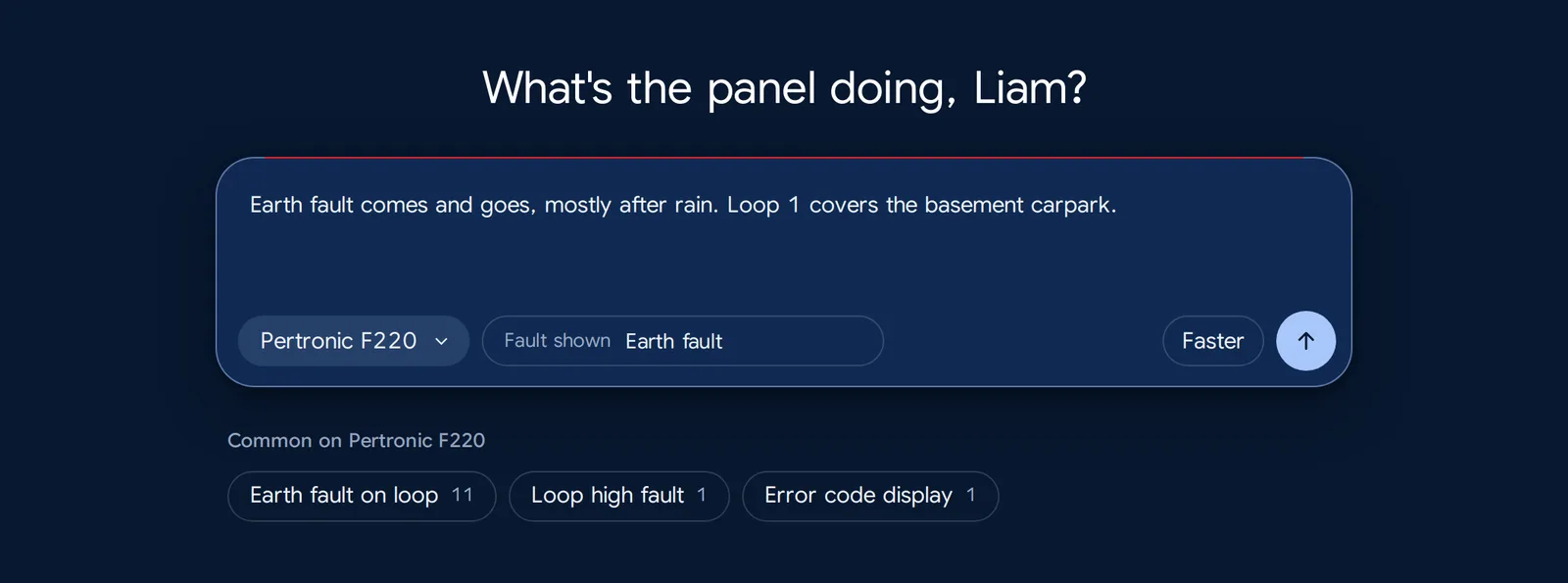
- Pick the panel from a list of the panels Australian techs actually work on, from Ampac and Pertronic to Notifier, with the most common at the top. Type a few letters or the model number to find it.
- Enter the fault as it shows on the panel. That is enough to start; add a question or what you have already tried if you like.
- Common issues other techs have raised on that panel show as one-tap suggestions.
- Start from a task and the panel, site and task come with you.
Narrowed down, one check at a time
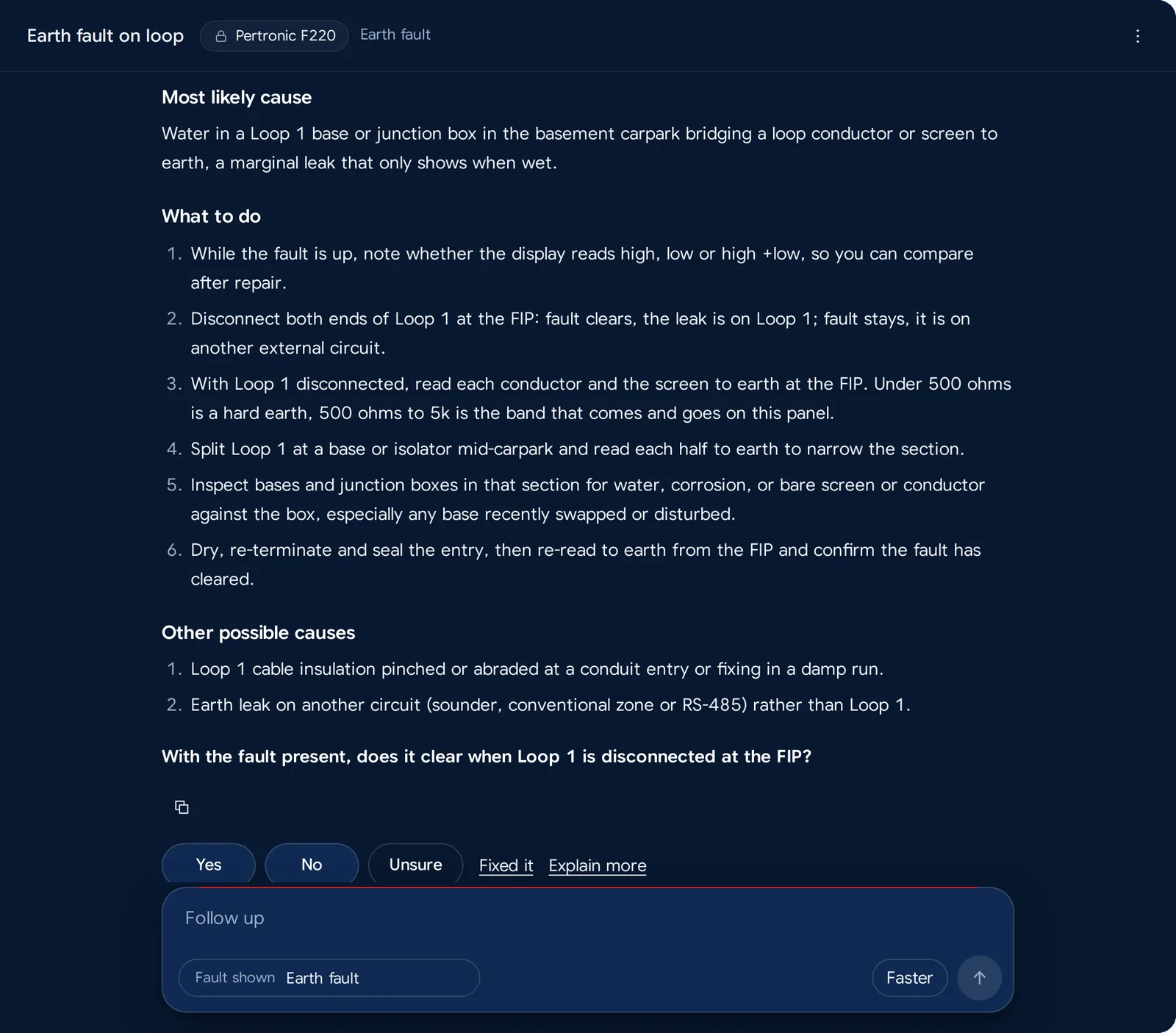
- FaultFinder lists the most likely causes, then asks one quick check. Answer Yes, No or Unsure with a tap, or rule a cause out with Not it.
- Each answer narrows it down. It gives the most likely cause and the steps to find and fix it, in the order you would do them on site.
- Every answer shows how sure it is: Confident, Likely or Best guess.
- Want the reasoning? Explain more gives the fuller picture in plain words.
- It asks before it assumes. When a value, terminal or setting matters, it checks with you rather than guessing.
It learns from your team
- Tap Fixed it, or type what actually fixed it, and that fix is remembered for the same panel and fault across your company.
- Mark an answer wrong with a correction and the next tech on that panel gets the better answer.
- Your company’s fixes stay with your company.
The service report, written for you
- Once the fault is fixed, Generate service report writes it up from the chat in a clear, standard structure.
- It asks only for what the chat did not cover, such as why you attended and how you left the site.
- Edit it, then save it to the active task as the work done, or download it as a PDF or Word file.
- No task yet? Pick the site and FaultFinder creates a finished callout task with the report on it.
Your chats, kept
- Every fault is its own chat, saved to come back to, with search, rename and archive.
- Chats are private to the tech who started them. Owners and admins can read the team’s chats, to help or to review the work.
- Leave mid-answer and the answer is waiting when you come back.
Included for every user
FaultFinder comes with every FireSeq user at no extra charge, in the office portal and on the phone. Apprentice on a first panel or a veteran on an unfamiliar brand, everyone gets the same help.